AInspiredApps ESIR
A Windows sales workspace with local fiscal-processing capabilities
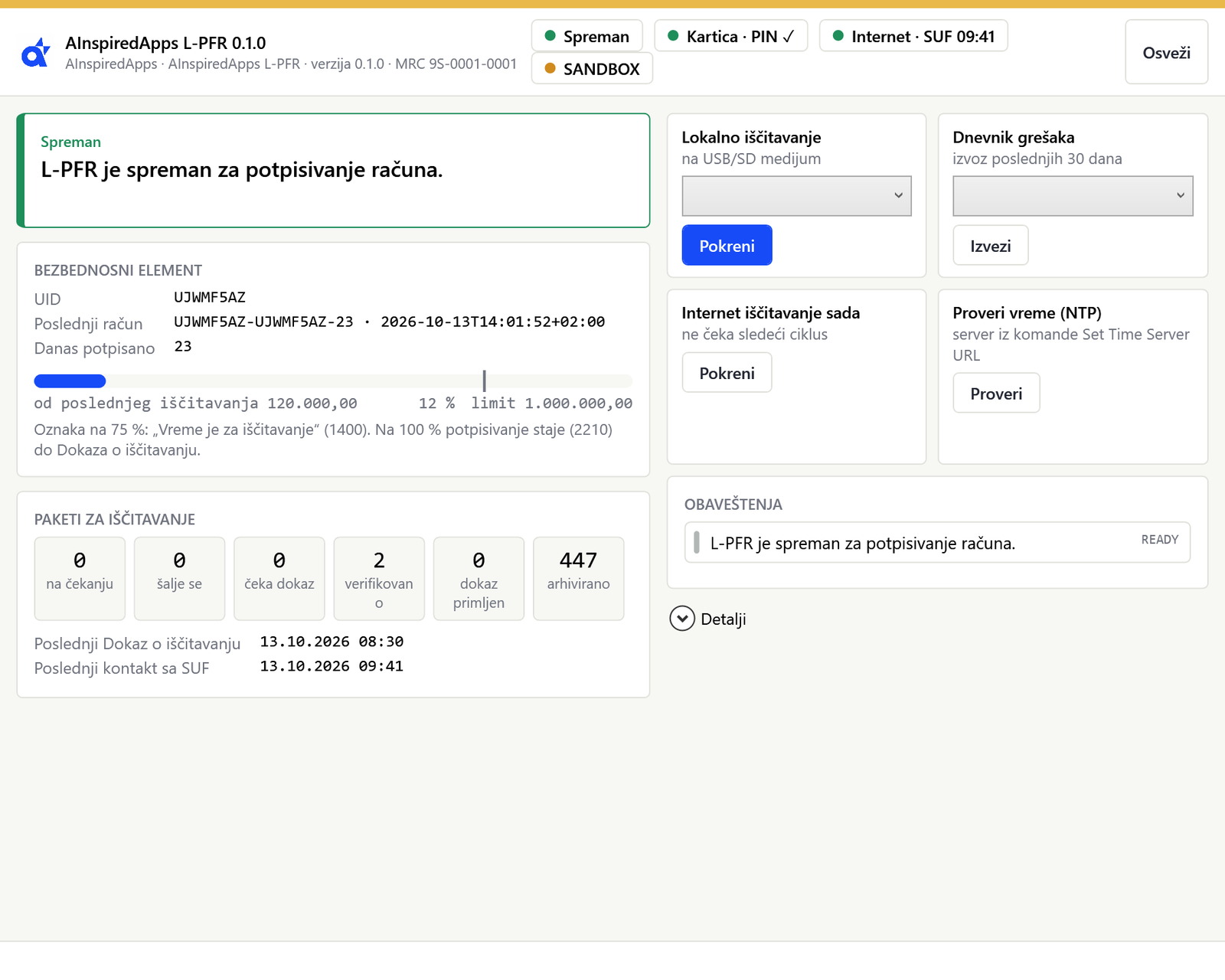
AInspiredApps ESIR is an advanced-class electronic invoicing system for Windows. With the local L-PFR it works fully offline and switches automatically to the V-PFR when online.
What you do with it
Charge quickly
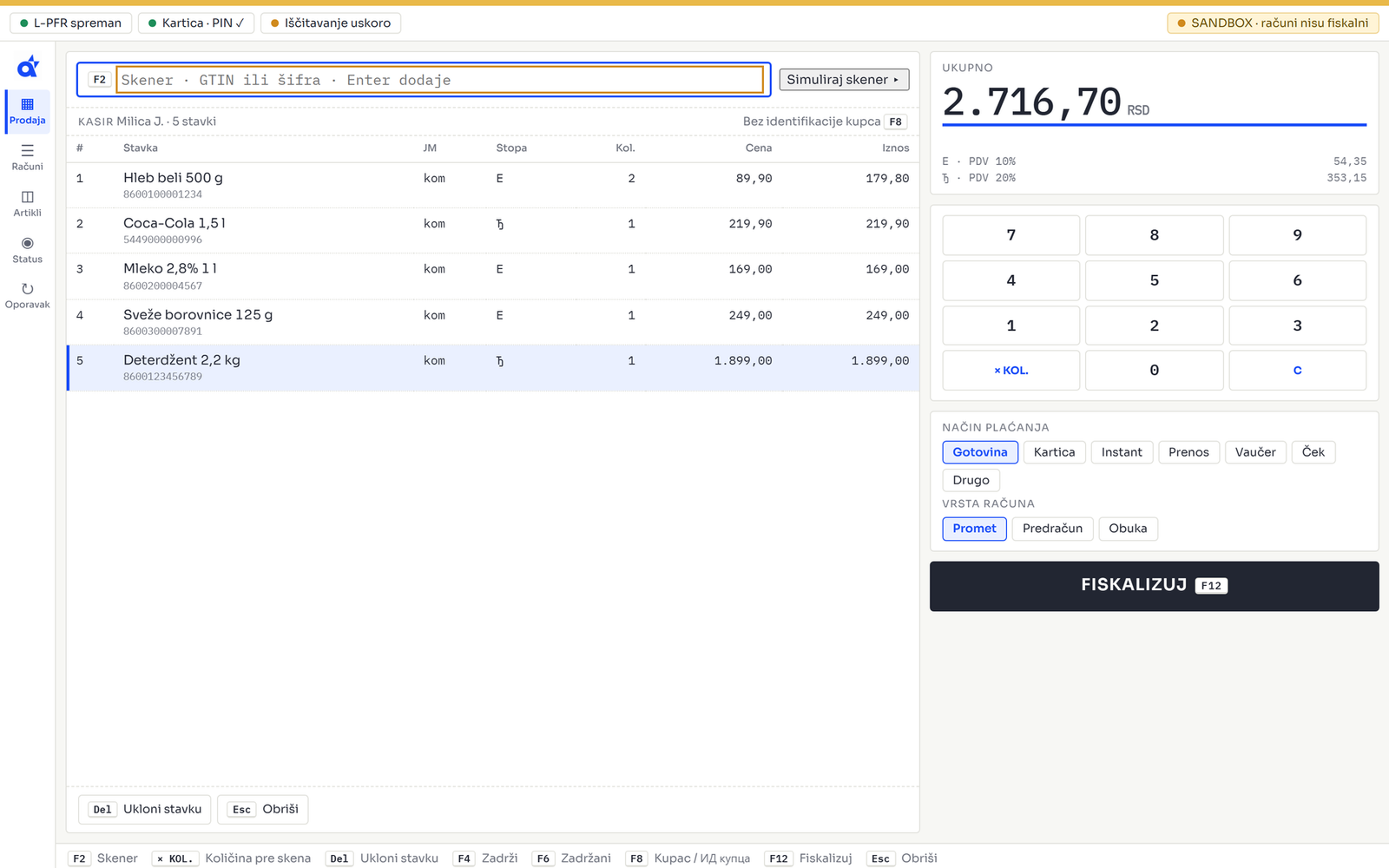
Tile or barcode-scanner layout, favourites, measured quantities and split payment.
Issue every receipt type
Including advance payments and advance-payment chains, with buyer identification.
Keep working when the internet stops
The L-PFR signs receipts locally; packages are audited once the connection returns.
Features
Offline and online (AUTO mode)
V-PFR while online, L-PFR otherwise.
Turnover report and SUF checks
Turnover report and receipt verification against the Tax Administration’s system.
Printing and e-receipts
57–80 mm rolls or A4, plus HTML/PDF e-receipts.
Discounts
Item and receipt discounts.
Pantheon
Lookup of customers and items from Datalab Pantheon.
Recovery without double fiscalisation
Unclear outcomes are resolved safely.
Built for everyday till work
Tile layout or barcode-scanner layout, favourites, measured quantities and split payment. A 30-day receipt list with copy, refund and cancellation.
Every receipt type
Including advance payments and advance-payment chains, with buyer identification. Tax rates are taken only from the PFR.
One installer
ESIR and L-PFR install together. Items with GTIN, CSV import/export and a price list with percentage changes.
Demo video
Integrations and deployment
Confirmed: the Tax Administration’s L-PFR and V-PFR (sandbox), Datalab Pantheon lookup, CSV item import/export. Deployment: one Windows 10/11 installer (ESIR + L-PFR).
Setup, training and support
Setup follows the way you work: a demonstration with your own examples first, then configuration and training. Support comes directly from the people who build the software, no automated replies.
Frequently asked questions
What do I need to work offline?
Is the ESIR approved?
Release notes
Version submitted to the Tax Administration on 30 Oct 2026 and approved by the decision of 5 Nov 2026 (IB 1741).
Let’s see if it fits your work
We will walk you through the application with your own examples and answer your questions.